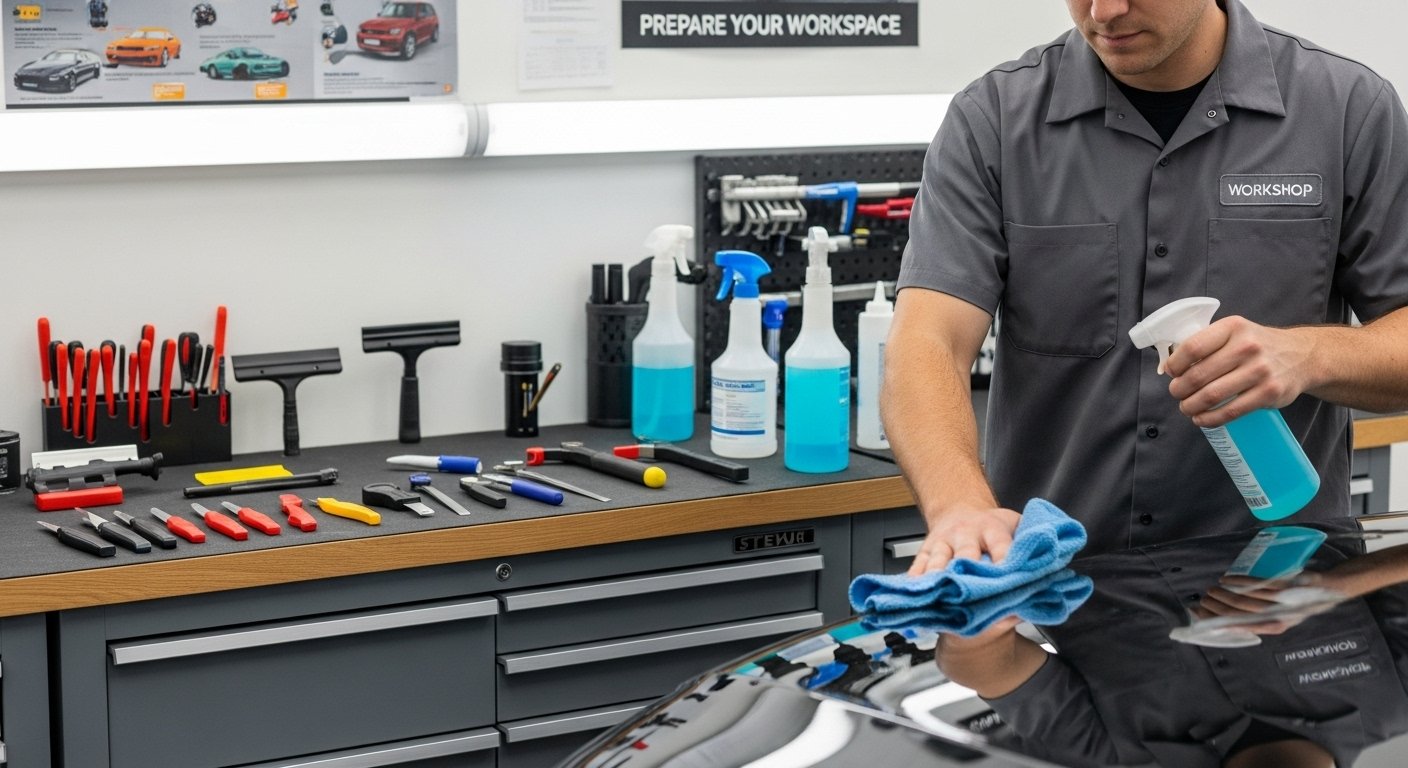
Finding the right tools for precise pattern cutting in the automotive trade can transform busy workshops and projects alike. Whether you install paint protection films, apply window tints, or handle custom wraps, the right software or system promises to save material and speed up jobs. Not every option is built the same though. Some focus on professional detailers while others are suited to those wanting lower costs or more flexibility. From vast pattern libraries to pay-as-you-go models and even the opportunity to create your own platform from scratch, there is a surprising range of choices. Curious about how these solutions compare on features, value, and practicality? The next sections reveal what sets each apart.
Table of Contents
AeonCut
At a Glance
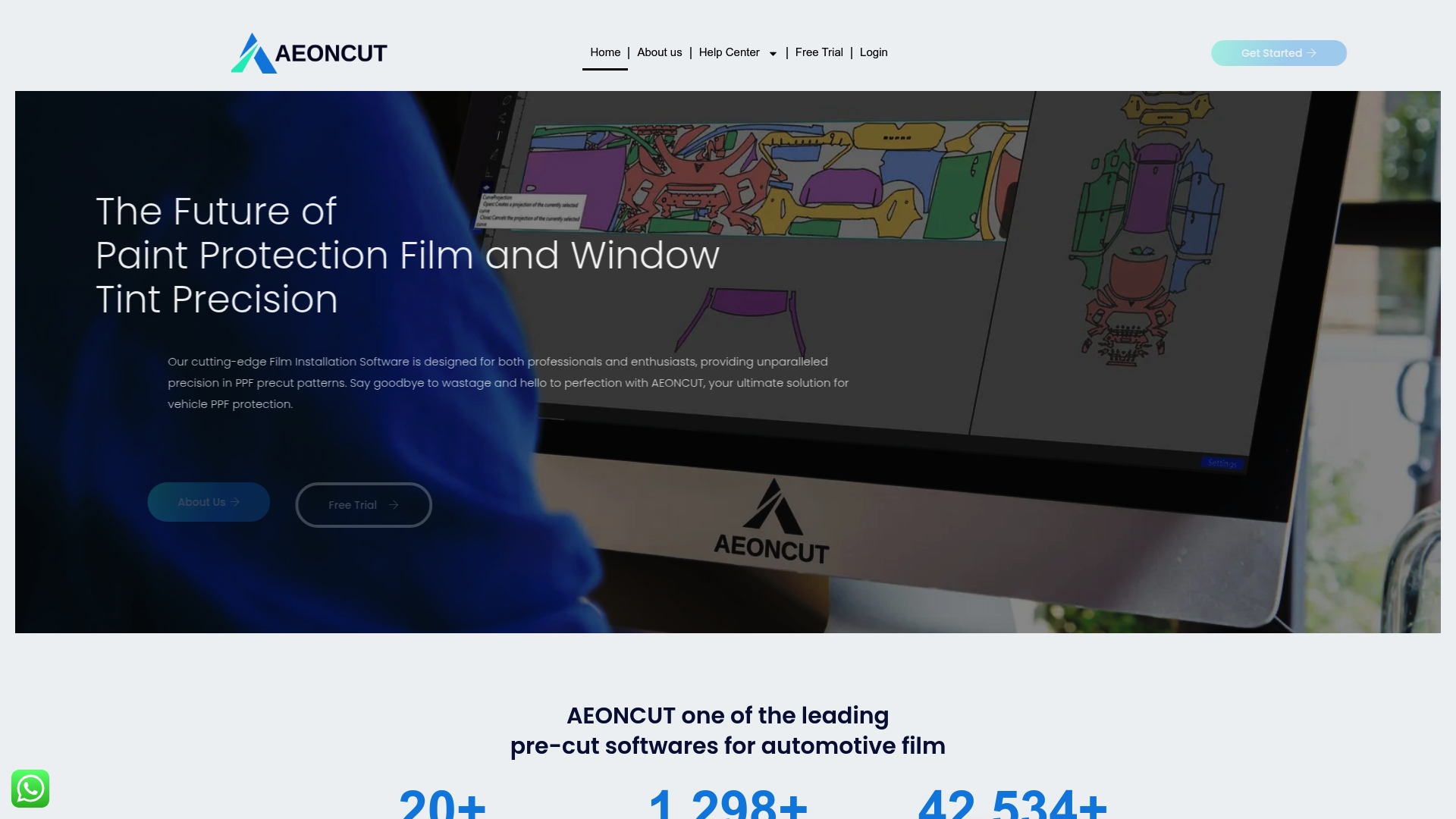
AeonCut is a cloud-first cutting software built specifically for paint protection film (PPF) and window tint professionals. It delivers an extensive library of precise, ready-to-cut patterns for over 6,000 vehicle models, plus AI-driven auto-nesting and customisable designs to reduce material waste and speed installations. If you run a PPF shop, mobile tint service or detail centre, AeonCut is engineered to lift throughput and accuracy without adding complexity.
Core Features
AeonCut combines a vast pattern library, customisation tools and a clear, user-friendly interface that works for installers and DIY enthusiasts alike. Cloud-based updates keep pattern files current across any device, while AI smart auto-nesting rearranges parts to maximise yield and minimise offcuts. The platform supports cars, motorcycles and trucks, and provides guides and tutorials so you can check cutter compatibility and deploy patterns quickly. Everything is geared towards operational efficiency — fewer manual edits, precise pre-cut templates and quicker prep-to-fit cycles.
Pros
- Comprehensive pattern library with constant updates: AeonCut maintains a catalogue covering over 6,000 models, ensuring patterns for most modern and legacy vehicles are available and refreshed via the cloud.
- Customisable and precise cutting tools: You can modify patterns to suit bespoke jobs or tricky substrates without losing dimensional accuracy.
- Supports a wide range of vehicles including cars, motorcycles and trucks: The breadth lets workshops standardise on one platform for multiple vehicle types.
- Flexible subscription plans including a free trial: A 10-day free trial lets you validate fitment and workflow before committing to a monthly plan.
- Cloud-based platform ensuring access from any device with internet connectivity: Teams can share patterns and updates instantly, reducing version drift between machines.
Who It’s For
AeonCut is aimed at professional PPF installers, auto detailers, mobile tint technicians and serious car enthusiasts who demand repeatable, shop-grade results. If your business measures time-to-fit, material yield and installation consistency, you will find the toolset directly supports those KPIs. Do you operate multiple sites or require centralised pattern control? AeonCut scales to that need.
Unique Value Proposition
AeonCut’s unique strength is the convergence of a massive, purpose-built pattern library with intelligent, cloud-delivered optimisation. The AI smart auto-nesting is not a gimmick — it materially reduces wasted film by arranging parts for maximal yield, which translates to measurable cost savings per job. Regular cloud updates keep new models and refinements flowing to every user, removing the burden of manual pattern distribution. Combined with clear tutorials, compatibility guides and responsive support, AeonCut offers a turnkey pattern ecosystem designed for professional fleets and high-volume installers. In short: it’s a single source of truth for pattern accuracy, material efficiency and operational consistency, which gives you an edge over fragmented, offline pattern workflows.
Real World Use Case
A professional PPF installer uses AeonCut to pull a vehicle-specific pattern, make minor edge trims for a bespoke bumper and auto-nest several small panels to reduce waste. The installer exports ready-to-cut files to their plotter, fits the pre-cut film in less time and charges more jobs per day while lowering material cost per install.
Pricing
AeonCut offers a 10-day free trial. Professional plan: $179 per month. Enterprise plan: $230 per month. The subscription model supports continuous pattern updates, cloud services and dedicated support — a deliberate choice to keep patterns current and reduce long-term operational friction.
Website: https://aeoncutsw.com
Autopatterns

At a Glance
Autopatterns is a purpose-built cutting programme for PPF and wrap shops that removes subscriptions and upfront material purchases from the equation. With over 4,000 ready-made patterns and broad plotter compatibility, it aims to reduce waste and speed up job turnaround. If you want a pay-as-you-go workflow that scales with demand rather than fixed licence fees, Autopatterns is worth considering.
Core Features
Autopatterns bundles a large, regularly updated library of vehicle and interior patterns with direct plotter drivers for machines such as Roland, GCC Jaguar, Mimaki and Graphtec. The software lets you cut entire body kits, individual elements or interior pieces, and it includes analytics and reporting tools so you can monitor work and customer demand. There is no subscription: instead you pay only for the square footage you send to cut, which keeps overheads variable and closely aligned to actual output.
Pros
- No subscription or material purchase required: This pay-as-you-go model removes recurring licence costs and lowers the barrier to entry for smaller shops.
- Supports multiple plotters with updated drivers: Compatibility with major plotter brands reduces integration friction and helps you reuse existing hardware.
- Large library covering many vehicle types: More than 4,000 patterns means fewer manual edits and faster setup for common and rare models.
- Analytics and reporting features: Built-in reporting helps you track job volumes and demand so you can plan labour and materials more accurately.
- User-friendly interface with detailed instructions: Clear on-screen guidance shortens the learning curve and helps technicians get productive faster.
Cons
- Windows-only currently: The application is limited to Windows for now, which excludes macOS users until support arrives.
- Requires hardware setup and configuration for plotters: Initial setup and driver configuration demand time and a degree of technical confidence from the installer.
- Primarily focused on vehicle wrap patterns: If your work extends far beyond vehicle wraps and interiors, the library may feel specialised rather than general-purpose.
Who It’s For
Autopatterns suits vehicle customisation professionals, wrap shops and serious hobbyists who need a broad pattern library and prefer operational costs tied to cutting volume rather than fixed subscriptions. It particularly benefits businesses that already own compatible plotters and want to optimise material use and turnaround.
Unique Value Proposition
Autopatterns removes licence friction by charging only for square footage cut, while delivering thousands of vehicle-specific patterns and native plotter support. That combination—extensive pattern coverage plus a pay-per-cut model—makes it a pragmatic choice for shops seeking predictable, variable costs and reduced material waste.
Real World Use Case
A typical wrap shop can use Autopatterns to import a vehicle pattern, configure cut parameters for its Roland or Graphtec plotter, and produce decals for a full wrap or interior trim with minimal manual nesting. The shop pays only for the material area it cuts, which trims waste and lowers the cost of one-off or low-volume jobs.
Pricing
Pay-as-you-go pricing: you pay only for the square footage cut, with no subscription or material purchase required.
Website: https://autopatterns.art/software
ComputerCut

At a Glance
ComputerCut is an internet-based film cutting system that turns pattern libraries into ready-to-cut files for compatible plotters, designed to reduce waste and shorten training time. Its strength lies in on-demand downloads and an extensive vehicle library for paint protection and tint work, which together help installers complete jobs faster and with greater precision. However, reliance on compatible plotter hardware and variable pricing means there is an upfront investment calculus for many businesses. Bottom line: a productivity-focused tool that rewards firms ready to commit to integrated hardware and software.
Core Features
ComputerCut provides direct pattern downloads to plotters, the ability to save and create customisable patterns, and a comprehensive vehicle library for paint protection film (PPF) and window tint applications. The included Window Film Planner automatically arranges patterns to optimise material use, while inventory control features track film consumption and prevent unauthorised cuts. The platform’s internet-based delivery keeps patterns current and centralised, and its support for multiple plotter makes offers practical flexibility for different workshop setups.
Less waste. More speed.
Pros
- Reduces manual pattern cutting, saving time and reducing waste by delivering precise, ready-to-cut files to the plotter.
- Allows customisation of patterns so installers can tailor fits to customer preferences and unique vehicle quirks.
- Supports a wide variety of plotters and designs, making it adaptable across different shop equipment and workflows.
- Improves operational efficiency and can potentially increase business volume by shortening job times and cutting errors.
- Includes software tools like the Window Film Planner and inventory control, which help optimise material usage and protect margins.
Cons
- The system is dependent on compatible plotter hardware, which may require additional capital expenditure to achieve full benefit.
- Graphic design services incur additional fees, adding ongoing cost for businesses that need bespoke artwork or complex edits.
- The platform requires a reliable internet connection for downloads and updates, which can be a limitation in low-connectivity environments.
- Pricing varies by package and plotter size, so total cost of ownership must be clarified with the vendor before committing.
Who It’s For
ComputerCut is aimed at vehicle film installers, tint shops, PPF specialists and graphics studios that need consistent precision and want to scale throughput without proportionally increasing labour. If you run a shop that handles high volumes or wishes to professionalise pattern control across multiple teams, this system is designed for you.
Unique Value Proposition
The core promise is simple: convert pattern libraries into measurable business improvements. By coupling downloadable patterns with automatic nesting and inventory oversight, ComputerCut reduces material waste and lowers the skill barrier for accurate cutting. That combination converts time saved into higher daily throughput.
Real World Use Case
A tinting shop downloads a vehicle’s window patterns, queues the job to the plotter and cuts film on demand, cutting training time for new staff and reducing scrap. Jobs finish faster; customers wait less. Revenue climbs without a proportional rise in labour costs.
Pricing
Pricing is available upon contact and varies depending on chosen package and plotter size; packages commonly include plotter hardware, software access and pattern library rights with annual and optional renewal fees. Clarify any graphic service charges and renewal terms before purchase.
Website: https://computercut.com
Roland DGA

At a Glance
Roland DGA is a mature, professional-grade manufacturer delivering a broad spectrum of digital production equipment that suits busy sign shops, apparel decorators, dental labs and industrial prototyping houses. Its range spans eco-solvent large-format printers, cutter/plotters, engravers and 3D milling machines, backed by software and dealer support. If you need versatility and proven hardware, Roland DGA is a dependable choice — but newcomers may find the breadth of options daunting and pricing opaque.
Core Features
Roland DGA’s catalogue focuses on multi-disciplinary production: eco-solvent large-format printers for banners and vehicle wraps; combined printer/cutters for decals and labels; vinyl cutters and engravers for signmaking; and 3D milling machines aimed at dental and industrial applications. The company pairs hardware with advanced software suites — notably VersaWorks and VersaObject — and offers training resources, workshops and a global dealer network to support installation and workflow integration.
Pros
- Extensive, professional product range: Roland DGA provides solutions that cover signage, apparel, industrial prototyping and dental manufacturing, so businesses can centralise multiple production needs with one vendor.
- Proven technology stack: Technologies such as TrueVIS, VersaWorks and VersaObject are widely recognised for reliable colour handling and workflow control, which reduces rework and waste.
- Strong support ecosystem: A global dealer network plus educational resources and workshops make onboarding and ongoing training more accessible for installers and production teams.
- Versatile application support: The equipment supports a wide variety of substrates and finishes, enabling high-quality output from vehicle wraps to medical components.
Cons
- Pricing is not transparent on the website, which makes budgeting and quick comparisons difficult for businesses evaluating total cost of ownership.
- Product breadth can overwhelm beginners, because the many configurations and model variants demand careful technical selection to match specific production requirements.
- Some specialised machines require significant technical expertise, meaning smaller shops may need to invest in training or external service to operate advanced milling or engraving equipment effectively.
Who It’s For
Roland DGA is aimed at business owners, professional sign makers, apparel decorators, dental laboratories and industrial manufacturers who require robust, production-grade equipment and who value a single supplier for multiple workflow stages. You should consider Roland if you run medium-to-large production volumes or need specialised milling or dental-capable hardware.
Unique Value Proposition
Roland DGA’s unique strength is its end-to-end production capability: you can move from design to large-format print, cutting, engraving and even dental milling within a single technology ecosystem supported by established software and dealer services. That continuity reduces compatibility friction and shortens ramp-up time for complex jobs.
Real World Use Case
A busy print shop uses Roland’s eco-solvent printers and cutter/plotters to produce vehicle wraps, large banners and custom decals in tight turnarounds; the integrated software helps nest artwork and control colour profiles, while dealer training ensures operators maintain consistent quality.
Pricing
Pricing is not specified on the website, so you will need to contact Roland DGA or an authorised dealer for quotations, service packages and financing options.
Website: https://rolanddga.com
Tint Tek 20/20

At a Glance
Tint Tek 20/20 is a focused window film cutting system built to help tint professionals increase throughput and margins without adding complexity. It pairs a familiar Flexi designs platform with ready-made templates for windows, paint protection and full windshields, so installers spend less time measuring and more time fitting. The interface is described as intuitive, making it suitable for technicians at different skill levels. In short: practical, pragmatic and aimed squarely at shops that want predictable, high-quality cuts.
Core Features
Tint Tek 20/20 centres on template-driven cutting: comprehensive window film templates, paint protection templates and full windshield templates are provided out of the box. Those templates run on the Flexi platform, which means pattern handling and design editing follow a widely used Flexi workflow rather than a proprietary, locked-in system. The product emphasises intuitive operation — faster setup, fewer manual trims and consistent pattern fitting — rather than a long list of experimental bells and whistles.
Pros
- Easy to use for beginners and experts: The system’s intuitive operation reduces training time, so both novices and experienced installers can produce accurate cuts quickly.
- No long-term contracts: Flexible subscription terms mean you can trial the system and scale usage without being tied into extended commitments.
- Affordable monthly payments: Monthly billing lowers upfront costs, helping smaller shops adopt digital pattern cutting without a large capital outlay.
- Streamlines tinting process: Pre-built templates and Flexi integration cut repetitive measuring and manual trimming, improving job turnaround times.
- High-quality cuts and pattern fitting: The platform prioritises precision; installers report better first-fit results that reduce rework and material waste.
Cons
- Limited negative detail disclosed: The supplied information does not list specific limitations, which makes it difficult to assess potential trade-offs before purchase.
- Unclear cross-platform compatibility: The product summary does not specify which hardware or operating systems are supported, so integration with existing cutters and workflows remains uncertain.
- Advanced customisation not documented: There is no detailed mention of advanced pattern customisation or scripting options, which may limit power users who require deep editing control.
Who It’s For
Tint Tek 20/20 is aimed at professional tint installers, mobile tint technicians and small-to-medium shops that need dependable, repeatable pattern cutting without a steep learning curve. If you want to reduce install time, cut material waste and offer consistently neat fits to customers, this system is designed for your daily workflow.
Unique Value Proposition
Tint Tek 20/20’s selling point is pragmatic simplicity: it leverages the Flexi designs ecosystem to deliver widely compatible templates and an approachable interface. That combination targets businesses that value speed, consistency and low friction adoption over experimental feature sets.
Real World Use Case
A busy tinting shop uses Tint Tek 20/20 to pre-cut window film and PPF templates between job bookings. Technicians load templates, execute precise cuts and complete fits faster, which increases throughput and customer satisfaction while lowering film waste.
Pricing
Tint Tek 20/20 is offered with affordable monthly payments; specific pricing tiers and exact amounts are not provided in the supplied data.
Website: https://tinttek.com
FusionTools

At a Glance
FusionTools is presently a parked domain with no active product or service content on the public page; the listing is handled via domain parking services and appears to be available for purchase. That lack of an operational offering makes FusionTools more of a strategic asset than a usable tool today. If you are seeking an off‑the‑shelf window tint pattern tool, this is not it — but for domain investors or businesses planning a bespoke platform, FusionTools could be a quick route to a recognisable web identity.
Core Features
Because the site is parked, there are no software features, pattern libraries, or technical capabilities publicly listed. The only verifiable attributes are that the domain is registered and presented for sale via a domain parking service. In practical terms, there is no active product to evaluate, no documentation, and no feature set to test or benchmark against AEONCUT or similar cutting software offerings.
Pros
- Clear potential for brand development: The domain provides a blank canvas that could be shaped into a focused window tint or PPF pattern tool with the right investment.
- Easy acquisition pathway: As a parked domain listed for sale, it should be simpler to acquire than starting a new domain from scratch.
- No current service overheads: There are no legacy users, codebase or customer support obligations to inherit, which can simplify redevelopment.
- Recognisable, succinct name: FusionTools is a concise brand name that could perform well in marketing and industry communications.
- Registered and discoverable: The domain is already registered and reachable, providing an immediate web presence once developed.
Cons
- No current product or service available: There is nothing to purchase, test or implement right now, so it offers no immediate operational value.
- Development required to become usable: Significant investment in development, design, hosting and marketing will be necessary to convert the domain into a functioning tool.
- Uncertain roadmap or support: The parking page gives no indication of future plans, timelines or stewardship, leaving buyers to define direction from scratch.
- Lack of transparency on pricing: The parking listing does not disclose a sale price, which complicates initial budget planning.
Who It’s For
FusionTools is primarily relevant to domain investors, entrepreneurs and businesses that want to secure a short, industry‑relevant domain for future development. It suits companies planning to build a bespoke tint pattern platform, resellers looking to flip domains, or creative teams that favour owning a recognisable web identity before product development begins.
Unique Value Proposition
The unique value lies in immediate domain ownership rather than in any delivered software: a ready‑to‑use web address in the automotive pattern niche which can accelerate go‑to‑market timelines once development begins. For firms that value branding speed and control, that alone can be a strategic advantage.
Real World Use Case
A vehicle wrap specialist or PPF software startup could acquire FusionTools to host a new cutting pattern library, integrate cloud pattern distribution and position the site as a premium B2B tool. Right now, its real world use is domain parking and potential resale; tomorrow, it could host a full cutting solution if developed.
Pricing
The domain is listed for sale on a parking page, but specific pricing details are not provided. Prospective buyers will need to contact the registrar or domain broker to obtain a quote and negotiate terms.
Website: https://fusiontools.com
Cutting Software Tools Comparison
This table provides a concise comparison of various cutting software tools for paint protection film and window tint professionals. It highlights their features, pros, cons, pricing, and usability to aid in decision-making.
| Product | Features | Pros | Cons | Pricing |
|---|---|---|---|---|
| AeonCut | Cloud-based, AI auto-nesting, 6,000+ patterns | Comprehensive library, customisable tools, supports multiple vehicle types | Limited to subscription model | 10-day free trial, $179/month Professional, $230/month Enterprise |
| Autopatterns | 4,000+ patterns, plotter compatibility, pay-per-cut | No subscription, multiple plotter support, analytics features | Windows-only, plotter setup required, focused on wraps | Pay-as-you-go, no additional charges |
| ComputerCut | Extensive library, automatic nesting, inventory control | Reduces waste, customisable patterns, adaptable to various plotters | Dependent on specific hardware, graphic services extra | Price varies by package and plotter size |
| Roland DGA | Eco-solvent printers, cutters, engravers | Extensive product range, proven tech, strong support ecosystem | Opaque pricing, overwhelming product range for beginners | Contact for pricing |
| Tint Tek 20/20 | Flexi integration, pre-built templates | Easy for all levels, no long-term contracts, affordable payments | Limited detail on cons, unclear compatibility | Monthly payments, contact for details |
Elevate Your Window Tint Workflow with Precision and Efficiency
The article highlights key challenges faced by professionals in the window tint and PPF industry, such as reducing material waste, speeding up installation times and ensuring high-precision pattern cutting for a consistent fit every time. These pain points limit productivity and profitability if not addressed effectively. Industry terms like AI-driven auto-nesting and cloud-based pattern updates point to the growing demand for smart, scalable solutions that simplify complex workflows.
Discover how AEONCUT meets these needs head-on by providing a vast library of pre-cut, customisable patterns designed specifically for window tinting professionals. Our solution not only maximises material usage but also reduces manual errors and accelerates fitment times through an intuitive, cloud-first platform. Explore our dedicated window Tint category and see how precision meets productivity in every cut.
Ready to boost your shop’s efficiency and cut costs with the latest technology tailored for window tint and PPF experts? Visit https://aeoncutsw.com now to start your free trial and claim access to updated patterns and expert support. Explore also our PPF precut pattern collection to expand your service offerings with confidence. The future of tint cutting awaits your business—take the first step today.
Frequently Asked Questions
What are the main features to look for in window tint pattern tools?
Choose tools that offer a comprehensive pattern library, easy customisation options, user-friendly interfaces, and cloud-based updates. These features help optimise material usage and streamline installation processes.
How can I reduce material waste using window tint pattern tools?
Select tools with AI-driven auto-nesting capabilities. These tools can rearrange patterns to maximise yield and minimise offcuts, potentially reducing waste by up to 30% per job.
What should I consider when comparing subscription plans for window tint pattern software?
Evaluate the features included, such as access to updates, the size of the pattern library, and support options. Determine your expected usage volume to decide if a monthly plan, annual subscription, or pay-as-you-go model suits you best.
How does cloud-based functionality benefit window tinting businesses?
Cloud-based tools enable teams to access the latest patterns and updates from any device with internet connectivity. This ensures all users are always working with the most current data, reducing discrepancies and improving efficiency.
Are there options for businesses with limited budgets when choosing window tint pattern tools?
Yes, some tools offer free trials or pay-as-you-go models, allowing you to test their capabilities before committing to a full subscription. Consider starting with a trial to evaluate if the tool meets your operational needs without a significant upfront investment.
How can I improve my team’s productivity using window tint pattern tools?
Implement a pattern tool that integrates well with your existing plotter setup and includes features for quick pattern retrieval and cutting. This can significantly reduce training time, enabling your team to complete jobs faster and handle more projects daily.
Recommended
- Types of Window Tint: Guide for Installers and Dealers 2025 – AEONCUT PPF Pre-cut Cutting software
- 2025 Guide to Window Tint Colour Options for Industry Pros – AEONCUT PPF Pre-cut Cutting software
- What is Window Tint? Essential Guide for Tinting Pros 2025 – AEONCUT PPF Pre-cut Cutting software
- Top 5 PPF and Tint Cutting Software for Professionals 2025 – AEONCUT PPF Pre-cut Cutting software