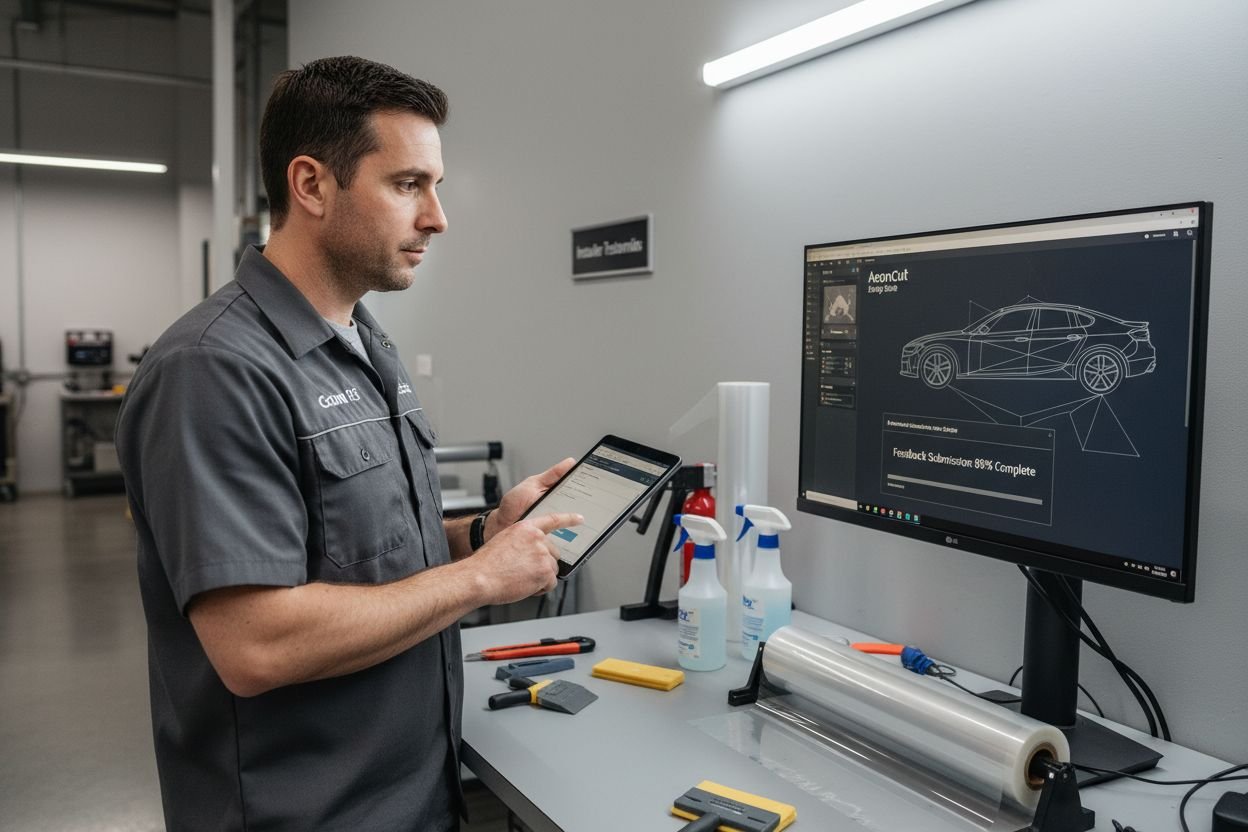
Modern tint shops face mounting pressure to deliver flawless results faster than ever, and digital precut software promises to be the answer for overworked installers. Here is something most owners do not realise. Manual cutting can lead to up to 30% more material waste compared to digital precut solutions. But what actually holds most tint shops back is not the price or the complexity of the software. It is hidden process gaps and old habits nobody questions—until the numbers finally do the talking.
Table of Contents
- Step 1: Assess Your Current Tinting Process
- Step 2: Identify Suitable Precut Software Solutions
- Step 3: Set Up Precut Software In Your Workshop
- Step 4: Train Your Team On Software Utilization
- Step 5: Integrate Precut Software With Your Workflow
- Step 6: Evaluate Results And Adjust Practices
Quick Summary
| Key Point | Explanation |
|---|---|
| 1. Assess your tinting process thoroughly | Understanding current workflows helps identify inefficiencies and informs targeted improvements to streamline operations. |
| 2. Choose compatible precut software | Select software that integrates with your workflow, offering accurate pattern cutting and extensive vehicle databases for efficiency. |
| 3. Create a dedicated workstation | Invest in high-performance computing equipment to support the smooth operation of precut software and enhance productivity. |
| 4. Implement comprehensive team training | Structured training ensures all team members are confident in using the software, improving overall efficiency and output quality. |
| 5. Regularly evaluate and adjust practices | Continuously monitor performance metrics to identify areas for improvement and adapt workflows and training as needed. |
Step 1: Assess Your Current Tinting Process
Transforming your tint shop’s efficiency starts with a critical examination of your existing workflow. Understanding the current processes allows you to pinpoint inefficiencies and create targeted improvements. A comprehensive process assessment reveals hidden bottlenecks that might be consuming valuable time and resources.
Begin by mapping out your entire vehicle tinting workflow from initial customer consultation to final vehicle delivery. Track each step meticulously, documenting the time spent on pattern selection, material cutting, surface preparation, and installation. Workflow optimization techniques suggest that granular tracking can uncover surprising productivity gaps.
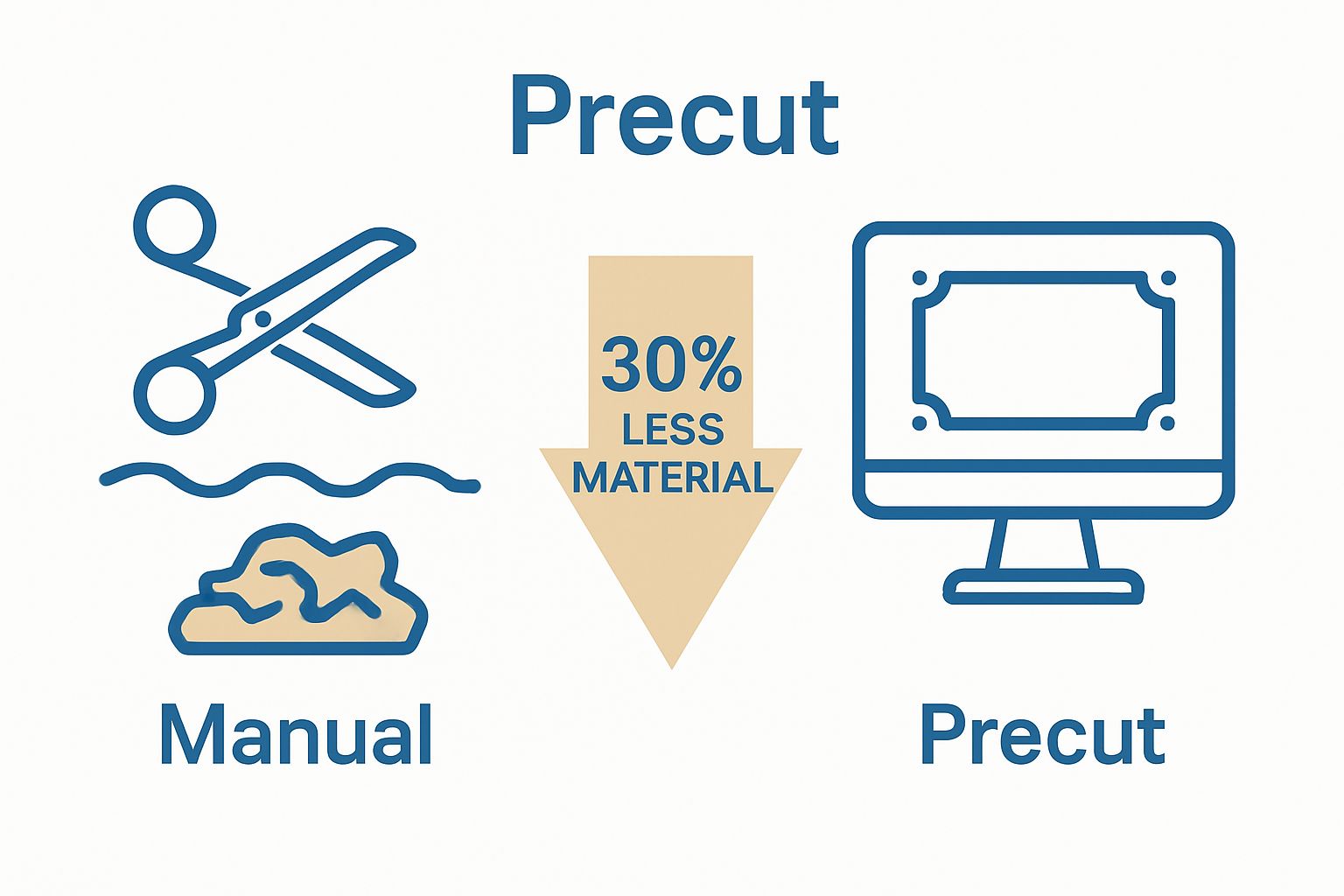
Pay special attention to your current pattern cutting method. Are you manually tracing and cutting templates? This traditional approach is not only time consuming but introduces significant human error. Precise measurements become challenging, leading to material waste and potential rework. Inconsistent cutting can result in up to 30% more material usage compared to digital precut solutions.
Gather quantitative data during your assessment. Record metrics like average cutting time per vehicle, material waste percentages, and rework frequency. These numbers will provide a baseline for comparing your performance before and after implementing precut software. Look for patterns such as recurring mistakes, bottlenecks in specific vehicle models, or consistent time drains in your current process.
To validate your assessment, create a comprehensive document detailing current workflows, time allocations, and observed inefficiencies. This documentation serves as a critical reference point for measuring future improvements. Your goal is not just identifying problems but creating a clear roadmap for technological and procedural enhancements that will streamline your tinting operations.
The table below provides a step overview for integrating precut software into a tint shop, outlining major actions, estimated impact, and the key outcome of each stage.
| Step | Estimated Impact | Key Outcome |
|---|---|---|
| Assess current tinting process | Identifies inefficiencies | Baseline data for future comparison |
| Choose suitable precut software | Improves pattern accuracy & compatibility | Informed technological investment |
| Set up dedicated workstation | Enhances system performance | Enables smooth software operation |
| Train team thoroughly | Boosts user confidence & adoption | Skilled and efficient workforce |
| Integrate with workflow | Streamlines day-to-day operations | Seamless, technology-driven processes |
| Evaluate results & adjust | Ensures continuous improvement | Ongoing efficiency and performance optimisation |
Check out our detailed guide on precision tinting techniques to complement your workflow assessment and discover advanced optimization strategies.
Step 2: Identify Suitable Precut Software Solutions
Selecting the right precut software represents a pivotal moment for your tint shop’s technological transformation. The goal is discovering a solution that seamlessly integrates with your existing workflow while dramatically improving precision and efficiency. Automotive software selection standards emphasize the importance of comprehensive feature evaluation beyond mere pattern cutting capabilities.
Software compatibility becomes your primary consideration. Modern precut solutions must offer extensive vehicle model databases, frequent pattern updates, and intuitive user interfaces. Look for platforms that support multiple file formats, enable cloud storage, and provide real-time pattern modifications. Professional tint shops require software that adapts quickly to emerging vehicle designs and maintains an extensive, regularly updated pattern library.
Critical evaluation metrics should include pattern accuracy, database comprehensiveness, user experience, and integration potential. Examine each potential software’s technical specifications carefully. Precision matters more than price – a marginally more expensive solution offering superior accuracy will save substantial money through reduced material waste and enhanced installation quality.
Conduct thorough research by requesting demonstration versions, watching tutorial videos, and seeking recommendations from industry professionals. Professional networks, automotive forums, and trade publications offer invaluable insights into software performance.
Pay particular attention to user reviews that discuss real-world implementation challenges and success stories.
Budget considerations extend beyond initial purchase price. Calculate potential savings from reduced material waste, faster installation times, and minimized rework. A comprehensive cost-benefit analysis reveals the true value of advanced precut software. Some providers offer tiered pricing models, allowing gradual system adoption without overwhelming initial investment.
To verify your selection, create a detailed comparison spreadsheet documenting each software’s key features, pricing, update frequency, and compatibility with your specific workshop requirements. Explore our comprehensive guide to professional cutting software to streamline your selection process and make an informed decision that transforms your tinting operations.
Step 3: Set Up Precut Software in Your Workshop
Implementing precut software transforms your workshop into a precision-driven environment, requiring careful planning and strategic integration. The setup process goes beyond simple installation, demanding a holistic approach that considers your existing infrastructure, team capabilities, and workflow dynamics.
Begin by preparing a dedicated workstation with robust computing hardware. High-performance computers with sufficient processing power, substantial RAM, and dedicated graphics capabilities are essential for smooth software operation. Ensure your selected computer has a large monitor or dual-screen setup to facilitate detailed pattern viewing and precise editing. Invest in a professional-grade graphics card that supports high-resolution rendering, critical for examining intricate vehicle template details.
Automotive technology implementation research emphasizes the importance of comprehensive staff training during technological transitions. Schedule comprehensive software training sessions that cover not just basic functionality but advanced features like custom pattern modifications, material optimization, and cloud synchronization. Assign a dedicated team member as the primary software administrator who will become the internal expert, responsible for ongoing learning and supporting colleagues during the transition.
The following table summarises essential components required for setting up digital precut software in a tint shop, including their specifications and primary purpose.
| Component | Specification | Purpose |
|---|---|---|
| Computer workstation | High-performance CPU, 16GB+ RAM, large monitor | Runs precut software smoothly for pattern editing |
| Dedicated graphics card | Professional-grade, supports high-res rendering | Ensures clarity for intricate template details |
| Stable high-speed internet | Minimum 50 Mbps, low latency | Supports cloud updates and remote support |
| Secure network infrastructure | Password protection, VPN, regular software updates | Safeguards digital assets and sensitive pattern data |
| Software administrator | Trained team member, ongoing learning | Oversees software use and supports the team |
| Training materials | Video tutorials, written guides, scenario exercises | Facilitates effective team training |
| Standardised workflow documents | Clear, step-by-step procedures | Ensures consistency and streamlines transition |
Network infrastructure plays a crucial role in successful software implementation. Establish a stable, high-speed internet connection to support cloud-based pattern updates and potential remote support. Configure your workshop’s network to prioritize the precut software, ensuring minimal latency and maximum performance. Implement robust cybersecurity measures to protect your digital assets, including secure password protocols, regular software updates, and potentially a virtual private network for enhanced data protection.
Create a systematic workflow that integrates the new software seamlessly with existing processes. Design a standardized procedure for pattern selection, vehicle measurement, and template generation. Develop clear documentation that outlines each step, making the transition smoother for all team members. Establish a feedback mechanism where installers can quickly report any software challenges or suggest potential improvements.
To verify successful implementation, conduct a comprehensive test phase. Perform multiple test cuts across different vehicle models, comparing the precut software results with traditional methods. Measure key performance indicators such as material usage reduction, cutting time efficiency, and pattern accuracy. Explore our professional installation techniques guide to complement your software integration strategy and maximize workshop efficiency.
Step 4: Train Your Team on Software Utilization
Successful software implementation hinges on comprehensive team training, transforming technological potential into operational excellence. Your goal is to create a confident, skilled workforce that views the new precut software as an empowering tool rather than a complex challenge. Scientific research on technology adoption consistently demonstrates that structured, engaging training dramatically improves user proficiency and system integration.
Developing a multi-tiered training approach ensures systematic knowledge transfer. Begin with foundational sessions introducing software interface, basic navigation, and core functionalities. These initial workshops should be interactive, allowing team members to explore the software through hands-on exercises. Encourage questions, create a supportive learning environment, and emphasize that technological adaptation is a collaborative journey.
Structure your training program to accommodate different learning styles and experience levels. Some team members might require more detailed guidance, while others will quickly grasp new technological concepts. Develop comprehensive training materials including video tutorials, written documentation, and live demonstration sessions. Practical, scenario-based learning proves most effective – create realistic workshop scenarios that mirror actual installation challenges, allowing installers to practice pattern selection, modifications, and precision cutting techniques.
Implement a mentorship model where technologically adept team members support colleagues during the learning process. Identify individuals who demonstrate rapid software comprehension and empower them as internal champions. These team members can provide peer-to-peer support, reducing formal training dependencies and fostering a collaborative learning culture. Schedule regular knowledge-sharing sessions where team members can discuss software insights, troubleshooting techniques, and innovative application strategies.
Verification of training effectiveness requires systematic assessment. Develop a skills evaluation framework that measures individual proficiency through practical tests, including pattern complexity challenges, efficiency metrics, and precision cutting assessments. Track individual and collective progress, providing targeted support where needed. Continuous learning should become an embedded workshop value, with ongoing training updates as software capabilities evolve.
Explore our comprehensive installer training resources to supplement your team’s learning journey and ensure smooth technological integration. Remember, successful training transforms software from a tool into a strategic workshop advantage.
Step 5: Integrate Precut Software with Your Workflow
Successful software integration transforms your tint shop from a traditional operation into a precision-driven enterprise. The goal is creating a seamless technological ecosystem where precut software becomes an organic extension of your existing workflow, not an isolated tool. Industrial digitalization research emphasizes the critical importance of holistic technological implementation.
Workflow mapping represents the foundational step in effective integration. Carefully analyze each stage of your current vehicle tinting process, identifying precise points where digital software can enhance efficiency. This means examining every touchpoint from initial customer consultation through pattern selection, material cutting, surface preparation, and final installation. Document current time allocations, material usage, and potential bottlenecks that the precut software might address.
Establish standardized protocols that leverage the software’s capabilities. Develop comprehensive digital templates for different vehicle models, ensuring consistent approach across your team. Create a systematic workflow where pattern selection, measurement verification, and cutting instructions follow a clear, repeatable process. Implement quality control checkpoints that utilize the software’s precision measurement tools, allowing installers to validate pattern accuracy before material cutting.
Technological integration extends beyond software functionality. Configure your workshop’s digital infrastructure to support seamless data flow. This might involve connecting the precut software with inventory management systems, customer relationship platforms, and potentially your workshop’s billing or scheduling applications. Ensure robust data backup procedures and cloud synchronization capabilities to prevent potential information loss and maintain continuity across multiple workstations.

Address potential workflow disruptions proactively. Recognize that technological transition inevitably introduces temporary complexity. Develop contingency plans that allow manual overrides or alternative cutting methods during the initial integration phase. Maintain flexibility, understanding that perfect implementation requires iterative refinement. Encourage continuous feedback from installers, using their practical insights to optimize software utilization.
Explore our comprehensive guide to professional installation techniques to support your workflow integration strategy. Remember, successful integration is not about replacing human expertise but empowering your team with precision tools that elevate overall workshop performance.
Step 6: Evaluate Results and Adjust Practices
Evaluating the impact of precut software implementation represents a critical phase in your technological transformation, moving beyond initial setup to strategic performance optimization. This step transforms raw data into actionable insights that will continuously refine your workshop’s operational efficiency. Systematic performance assessment research underscores the importance of comprehensive, data-driven analysis.
Establish a robust metrics tracking system that captures comprehensive performance indicators. Focus on quantitative measurements such as material usage reduction, cutting time efficiency, pattern accuracy, and overall installation quality. Create a standardized reporting template that allows consistent comparison across different vehicle models, installers, and timeframes. Track key performance metrics like average cutting time per vehicle, material waste percentage, pattern precision rates, and customer satisfaction scores.
Conduct regular team debriefing sessions where installers share practical experiences, challenges, and potential software improvement suggestions. These collaborative discussions provide invaluable qualitative insights that complement numerical data. Encourage open, constructive dialogue that views technological adaptation as a collective journey. Create a feedback mechanism where team members can anonymously submit observations, ensuring everyone feels comfortable sharing genuine perspectives about software performance and workflow integration.
Implement a phased evaluation approach with short-term and long-term assessment intervals. Initial evaluations might focus on immediate efficiency gains, while subsequent reviews can explore more nuanced performance improvements. Document comparative analyses showing workflow performance before and after precut software implementation. This historical data becomes a powerful tool for demonstrating technological investment value and motivating continued innovation.
Remember that evaluation is not about identifying failures but discovering opportunities for continuous improvement. Remain flexible and willing to make incremental adjustments to your workflow, software configuration, and training approaches. Some modifications might be subtle, such as refining pattern selection protocols or adjusting team training methodologies. Others could involve more significant changes like upgrading hardware, exploring advanced software features, or redesigning workshop layout to maximize technological efficiency.
Explore our professional installation techniques guide to support your ongoing evaluation and optimization strategy. Successful workshops view technological integration as an evolving journey of incremental enhancements, not a one-time implementation.
Supercharge Your Tint Shop Efficiency with AEONCUT Precut Software
Are you tired of seeing valuable time and material wasted with manual cutting and inconsistent results? The article has shown how key issues such as workflow inefficiency, human error, and excess material waste can be solved with innovative solutions. By transitioning to digital precision with advanced pattern libraries and real-time updates, you position your business at the forefront of the industry. Discover how streamlined operations and perfect cuts are now within your reach at our window tint solutions hub.
Ready to transform your tinting process and outperform your competition? Experience fewer errors, less waste, and more satisfied customers with AEONCUT. Explore AEONCUT’s full feature set, see exclusive updates in our Software Update centre, and step confidently into a future of unmatched precision. Take action now for instant gains in speed, accuracy, and professional reputation.
Frequently Asked Questions
What are the main benefits of using precut software for a tint shop?
Utilising precut software significantly boosts efficiency by reducing material waste, cutting down installation time, and enhancing accuracy in pattern cutting. This ultimately leads to improved operational productivity and customer satisfaction.
How can I assess my current tinting process before implementing precut software?
Begin by mapping out your entire tinting workflow, documenting each step from consultation to delivery. Gather quantitative data on cutting times and material usage to identify inefficiencies and establish a baseline for comparison after implementing precut software.
How do I choose the right precut software for my tint shop?
Evaluate software based on crucial criteria such as pattern accuracy, vehicle model database comprehensiveness, integration capabilities, and user-friendliness. It’s also important to consider ongoing costs and potential savings from reduced material waste when conducting a cost-benefit analysis.
What training is necessary for my team to effectively utilise precut software?
A structured training program should begin with foundational sessions covering basic functionalities and evolve into advanced techniques such as custom pattern modifications. Incorporate practical, scenario-based learning to help team members apply what they’ve learned in real installations.
Recommended
- Top 5 PPF and Tint Cutting Software for Professionals 2025 – AEONCUT PPF Pre-cut Cutting software
- Best PPF Software 2025: Top Picks for Auto detailing businesses – AEONCUT PPF Pre-cut Cutting software